

Understand estimated, agreed, paid and still to pay
Mekozo keeps each cost's estimate, agreed price, final cost and payments apart, so what you still owe is always clear. Here is how to record each stage.
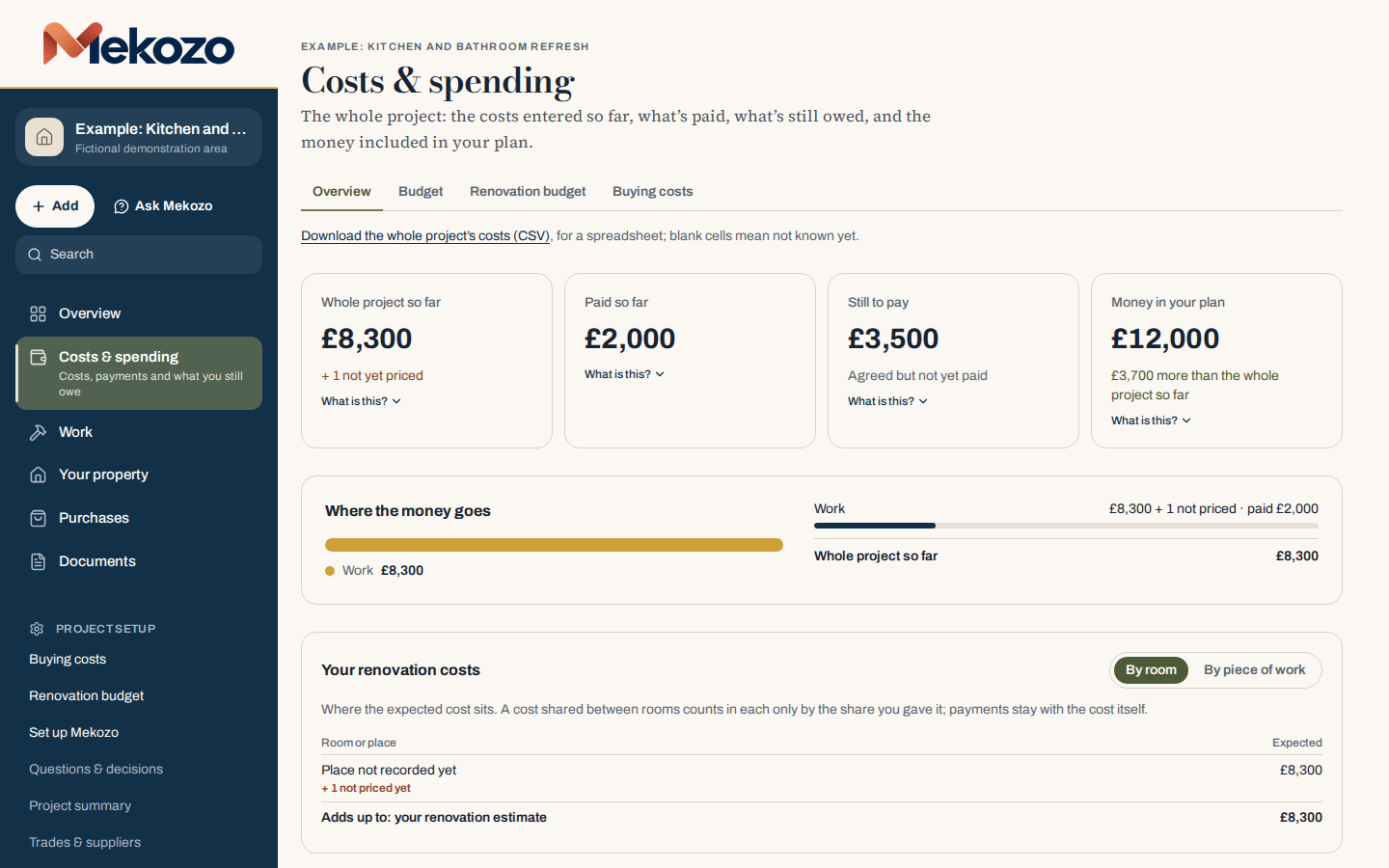
What Costs & spending shows
A renovation cost changes as the job moves on. It starts as a guess, becomes a quote, then an agreed price, and finally a bill that you pay, sometimes in stages. If those figures are mixed together, it is hard to say what you actually owe. Mekozo keeps them apart for every cost and adds them up on Costs & spending.
The money stages
| Stage | What it means |
|---|---|
| Estimated, not agreed yet | Your own estimate or a quote you have not accepted. A forecast, never money owed. |
| Agreed price | What you have agreed to pay: an accepted quote, an order or a contract. |
| Final cost | What the job or purchase actually came to, once known. |
| Paid | The payments recorded against the cost, less any refunds received. |
| Still to pay | The final cost where known, otherwise the agreed price, less what you have paid. |
Work with no figure yet shows as Not priced yet. It is never counted as zero.
Step by step
- Add the cost with + Add, then Work. Say what it is and where it applies, and enter your estimate if you have one. Leave it blank if you don't know yet.
- When quotes arrive, open the cost and choose Add and compare quotes. The first quote you add is used in your figures until you choose another.
- When you agree a price, choose Accept on that quote. The accepted amount becomes the agreed price and the other quotes stay as history.
- To record the final cost, or a change to the agreed price, open the cost and choose Edit item. The original price stays in the history.
- When you pay, choose Record a payment on the cost, or + Add, then A payment. Enter the amount and the date paid, and add a reference if you have one. If you paid in another currency, enter the rate you were charged; Mekozo keeps it with the payment.
- If money comes back, choose Record a refund on the cost's Payments page.
- Check Costs & spending. Still to pay shows what you have agreed but not yet paid across the whole project.
If a total looks wrong
Open the underlying cost and check its amount and its payment history. Check that one purchase has not also been entered as a separate cost. If you added payments made before you started using Mekozo, check whether a payment was already part of that earlier amount; Mekozo asks so that nothing is counted twice. Choose What is this? under a total to see how it is worked out.
If it still looks wrong, contact support with the screen and the steps that led to it. Do not send passwords, card details or sensitive documents.
Common mistakes
- Treating a quote as owed. A quote is a forecast until you accept it. Still to pay only counts agreed prices and final costs.
- Overwriting the price when it changes. Record the new price so the history shows how it moved.
- Entering the same purchase twice. Record it once, on the cost or the order it belongs to.
- Typing 0 for an unknown price. Leave it blank so it shows as not priced.
- Recording a deposit as the full price. Record the agreed price, then the deposit as the first payment against it.
For the method behind this, read Committed, invoiced, paid: how to track renovation costs.
Questions people ask
Why is Still to pay lower than my total?
Still to pay only counts what you have agreed or been billed for, less what you have paid. Estimates and quotes you have not accepted are not money owed.
Can I record a payment made in another currency?
Yes. Choose Paid in another currency, enter the amount and the rate you were charged. Mekozo does not look up exchange rates.
Who can see the amounts?
Only people with access to financial information on the project. You choose that when you invite someone.
Bring the whole picture home.
Budgets, quotes, payments, documents and decisions in one place
30 days free. No card needed.
Monthly, with no annual plan. The Terms of membership set out the details.