Features

Know what you are paying for. Decide what is worth it.

Quotes you can compare. A realistic budget. Work that is worth doing. Bring the evidence behind your renovation decisions together before the next commitment.

Try Mekozo free

30 days free. No card needed.

What Mekozo does

Features for every stage of a home.

Choosing a property

Searching and shortlisting
Keep every home you are considering in one list, with a short note on why.
Comparing properties
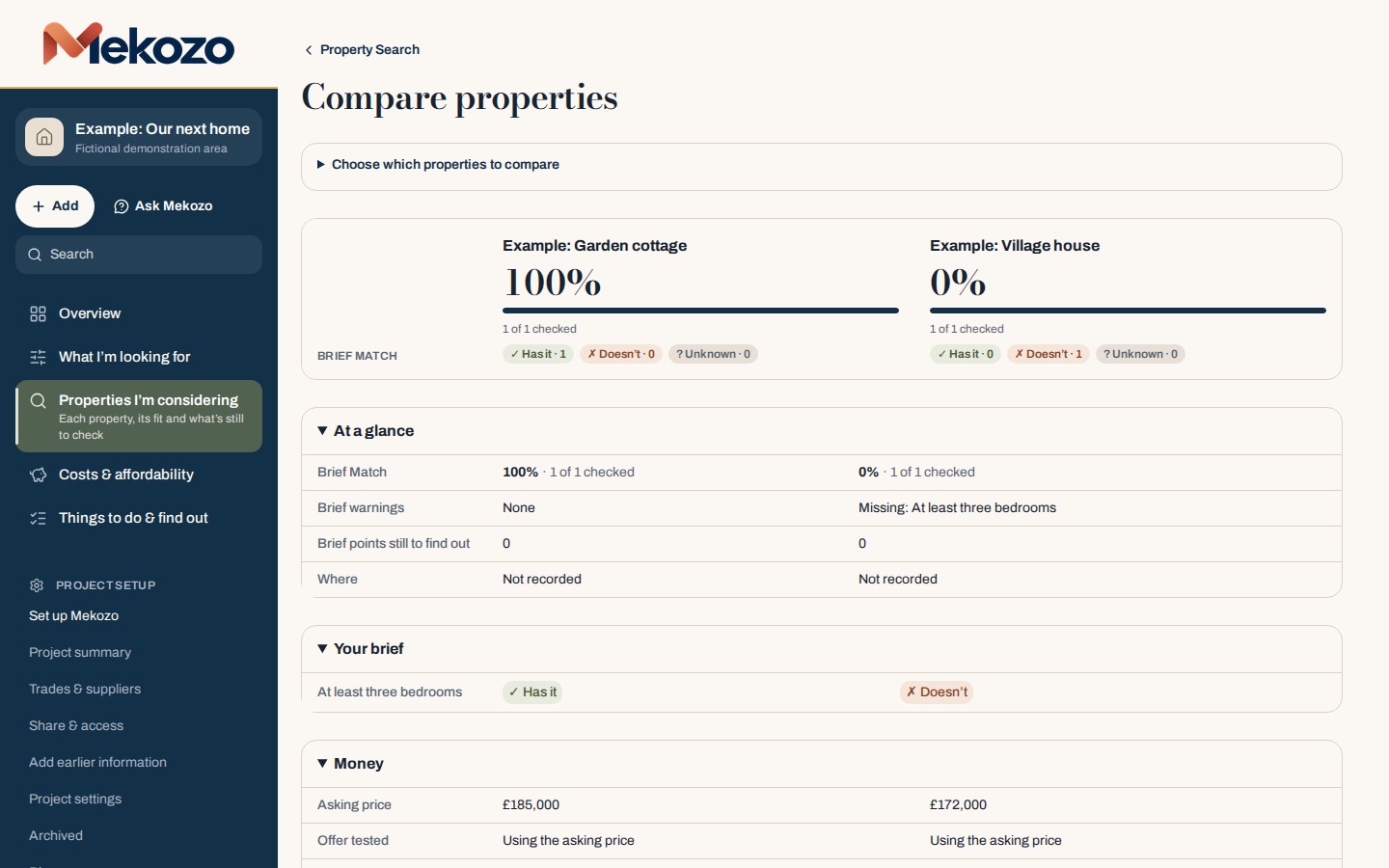
Compare homes side by side against your wish list and the full cost.
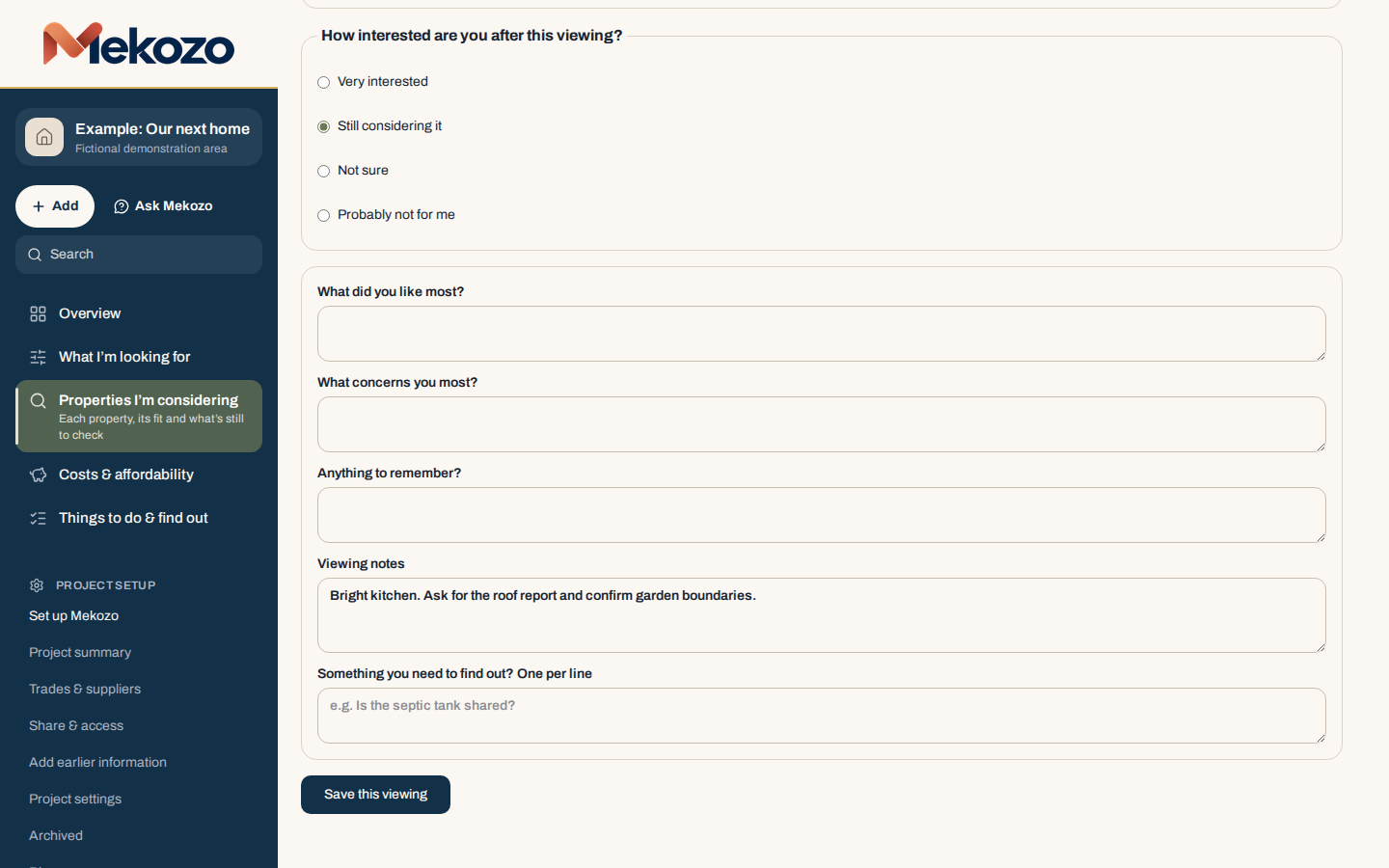
Viewing records
Notes, photos and questions from each viewing, kept with the property.
Buying assessments
Test an offer against the whole budget before you make it.
Two example properties compared against a three-bedroom brief in Mekozo

Buying a property you have found

Purchase costs
Every buying cost in one list, with what is paid and what is still to pay.
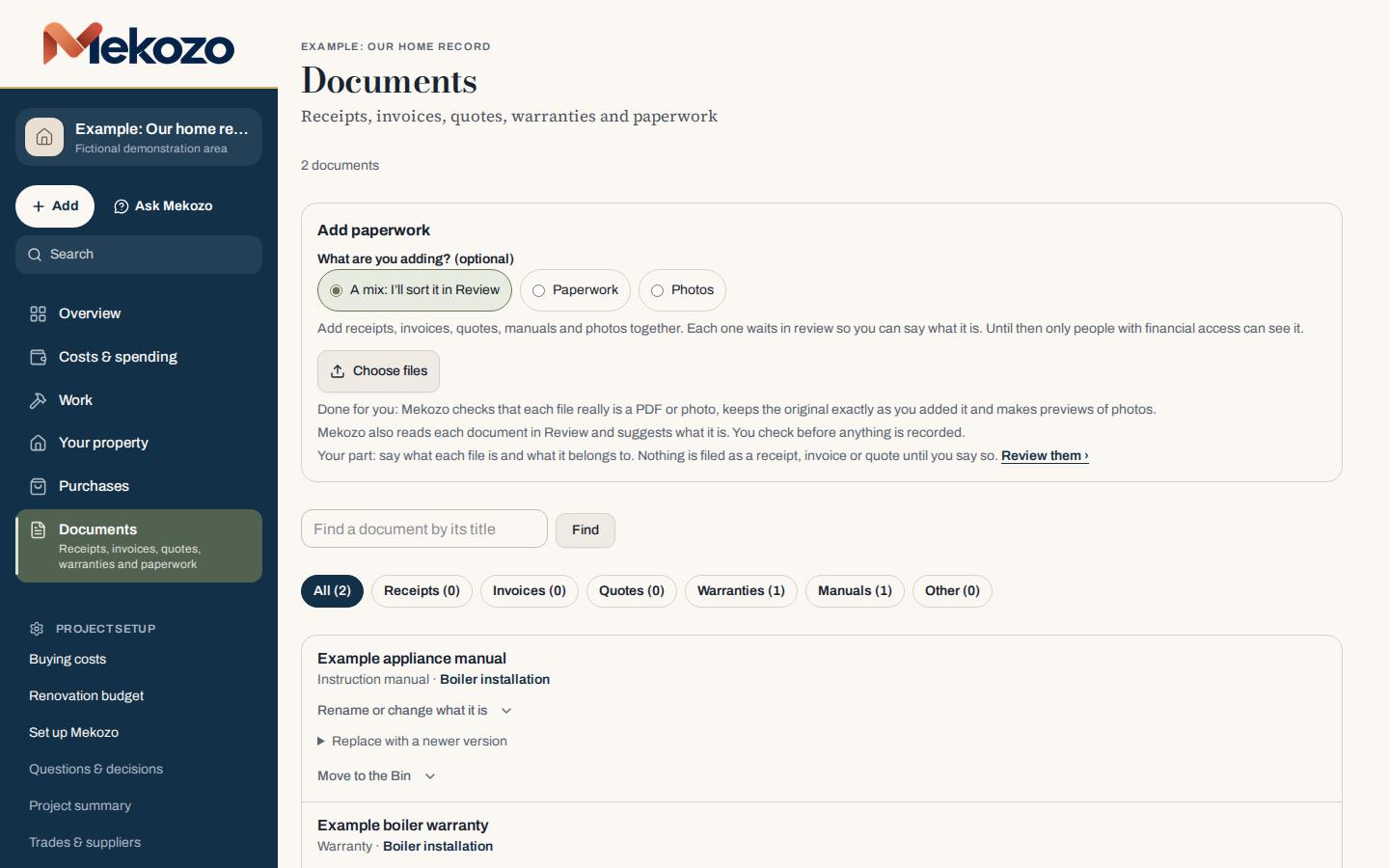
Documents
Contracts, reports and certificates stored with the property they belong to.
Collaboration
Invite a partner, family or anyone helping. They join free.
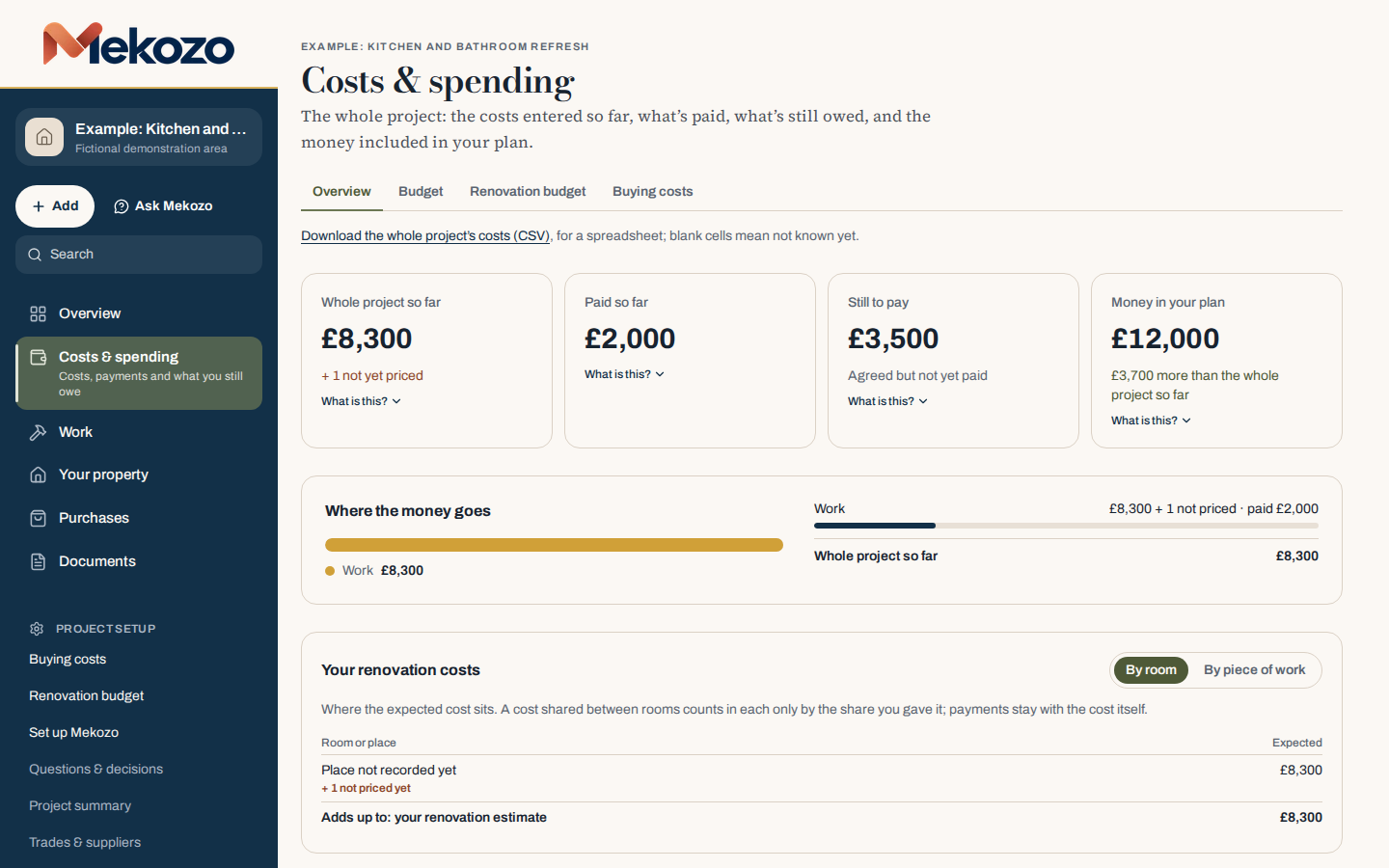
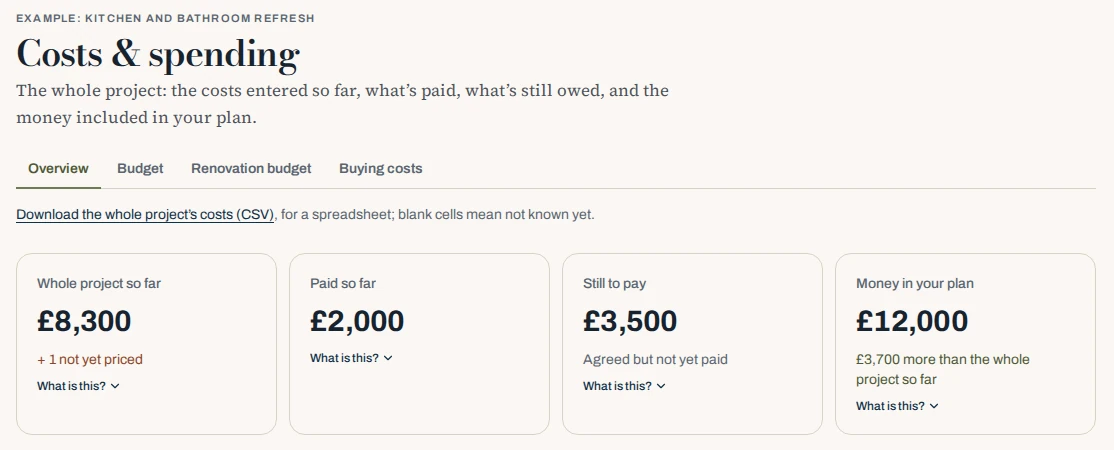
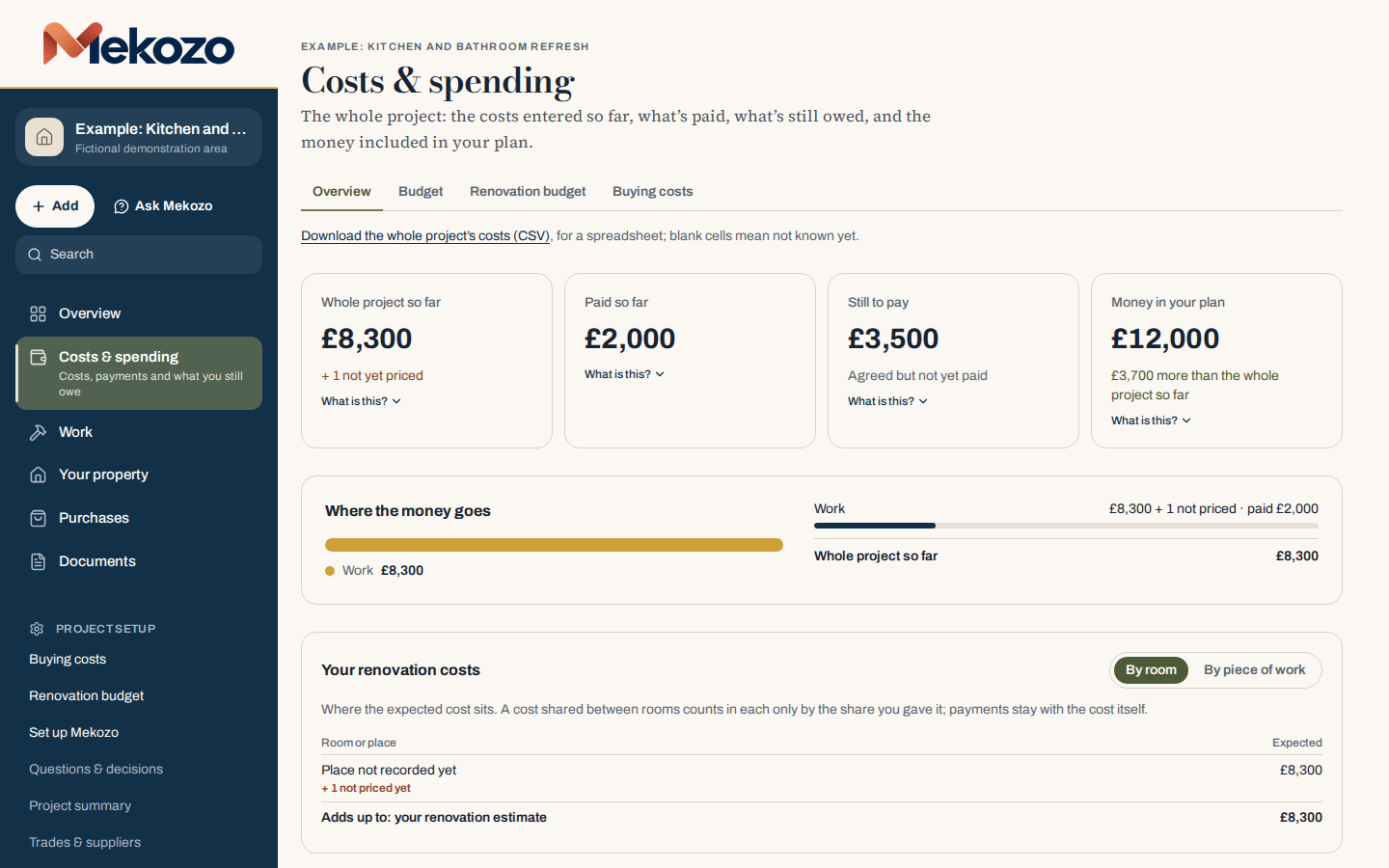
Costs & spending in Mekozo, close up

Planning a renovation

Renovation planning and budgeting
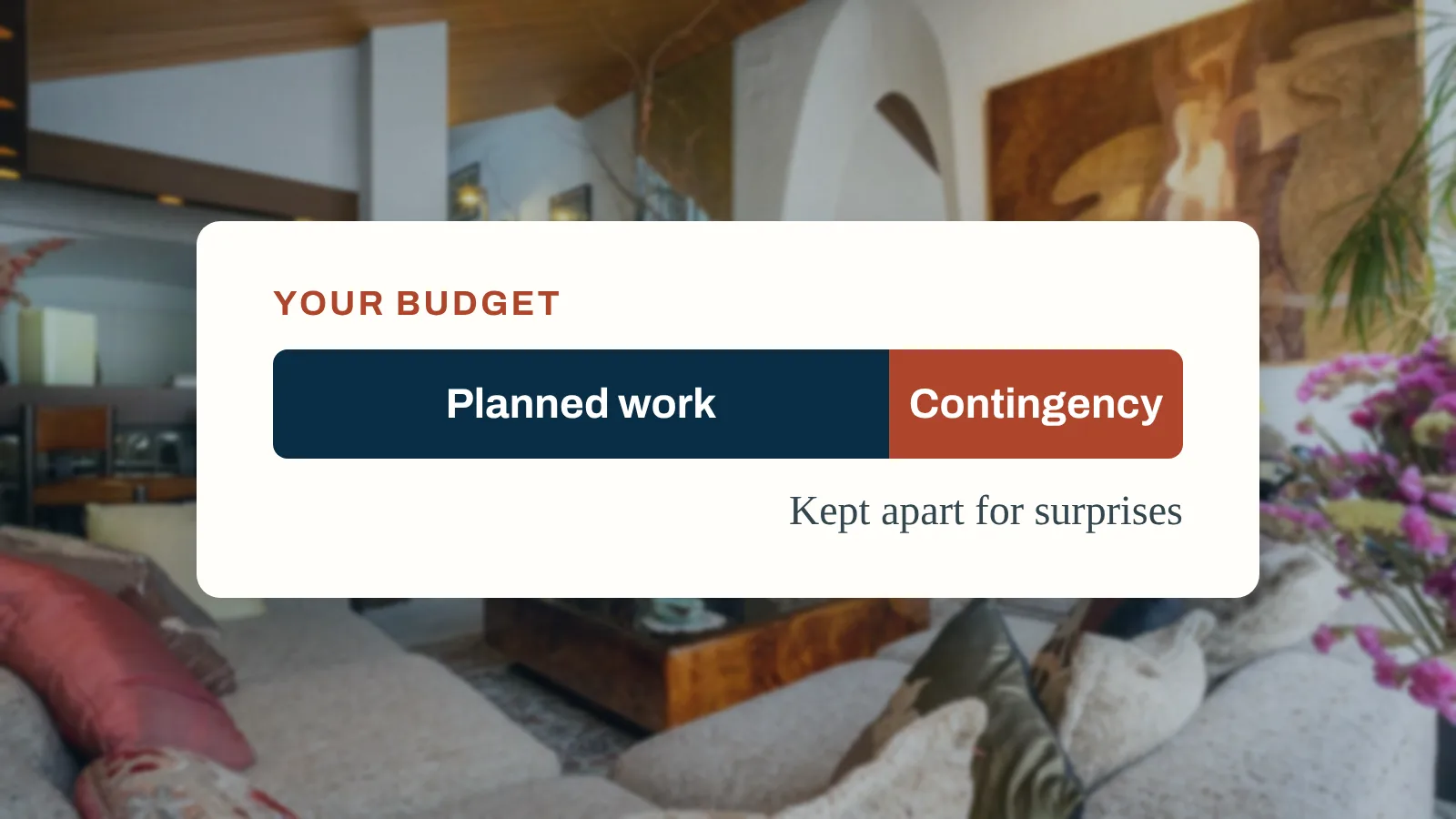
A budget for the whole project, with estimates and contingency.
Room-by-room planning
Plan the work by room and area, so nothing is counted twice or missed.
Contractors and quote comparison
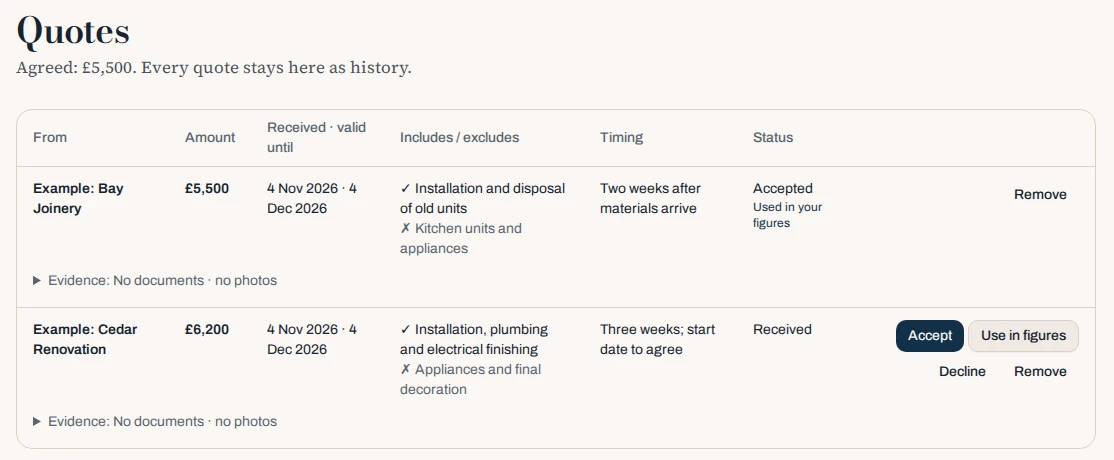
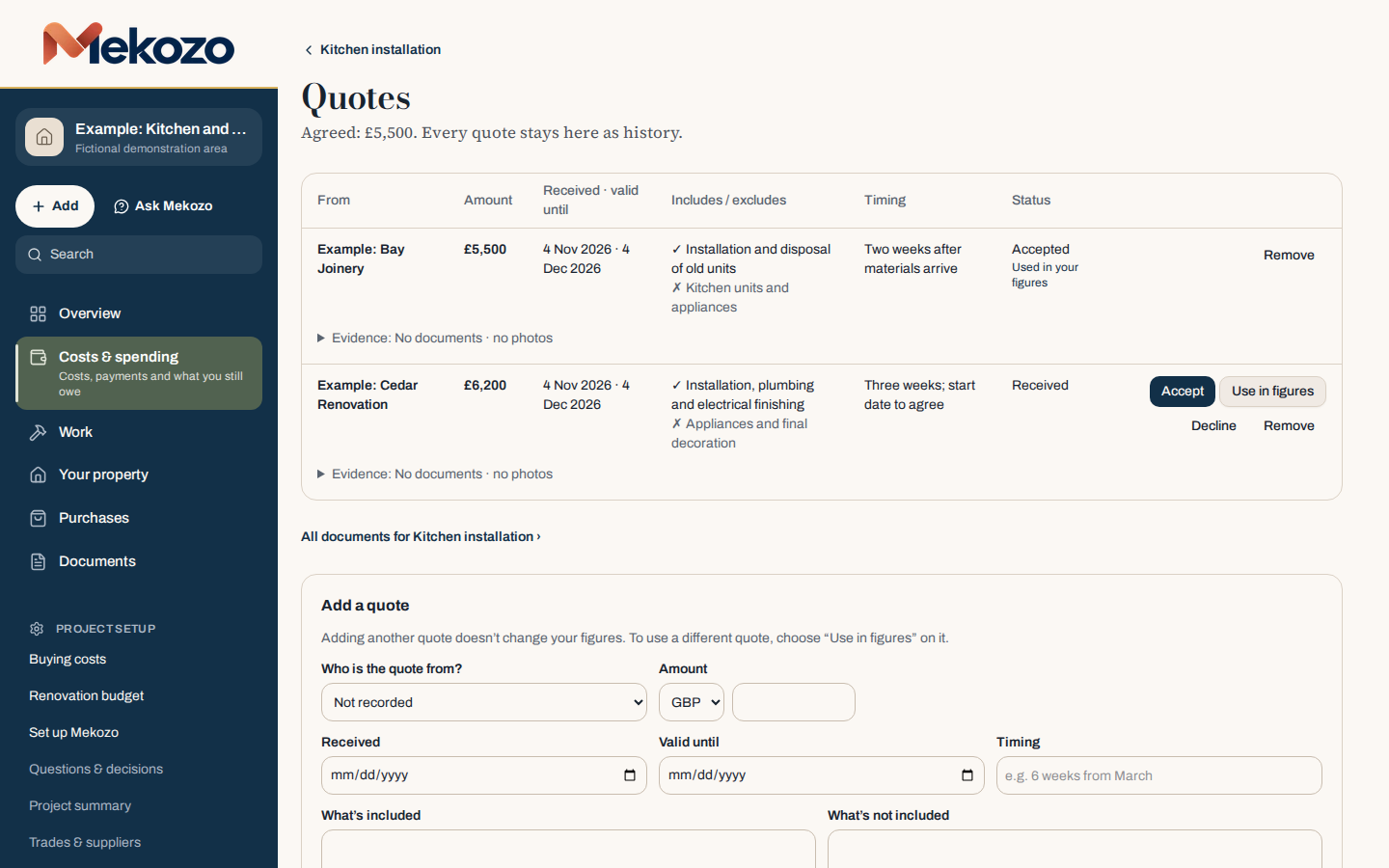
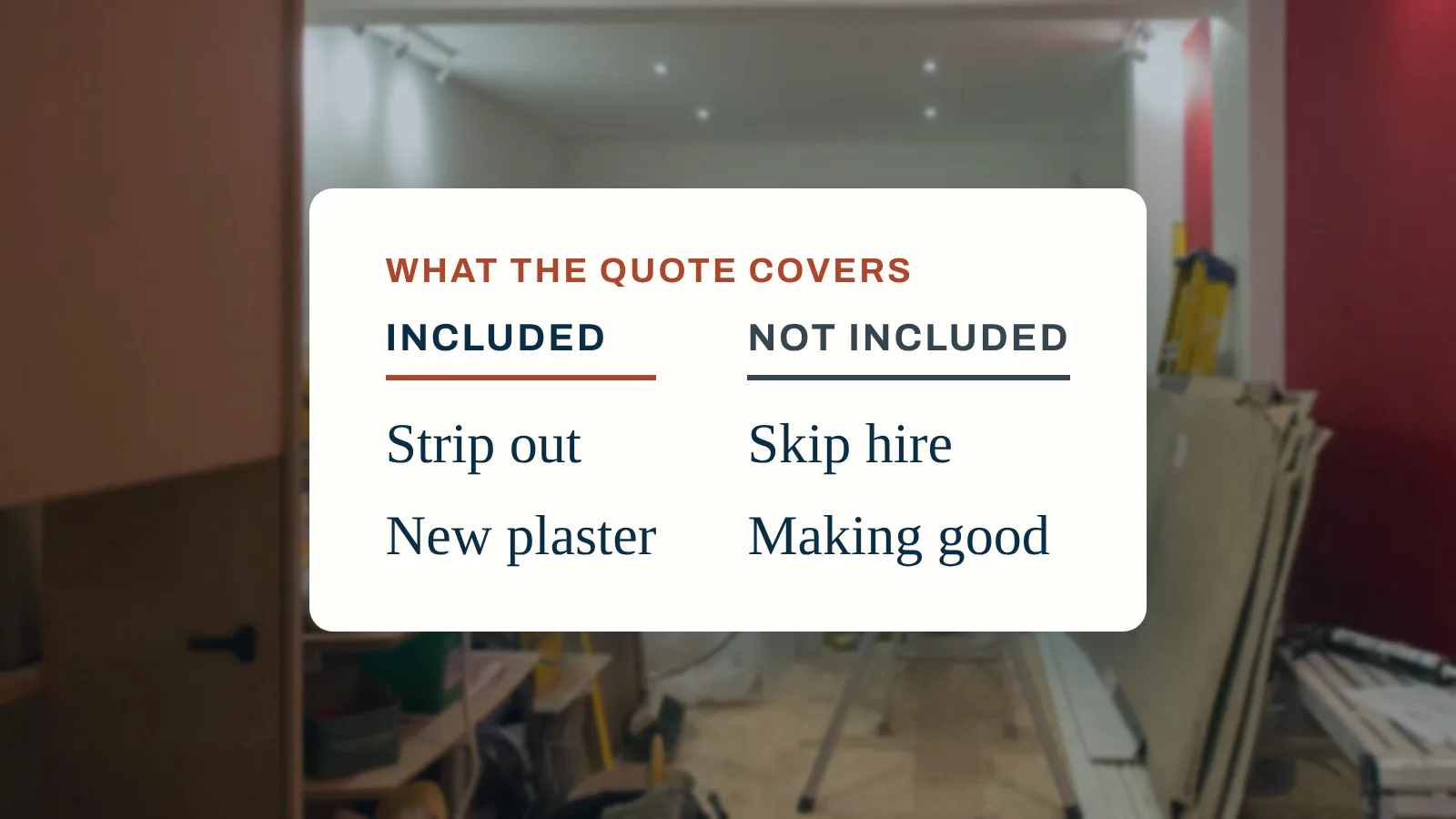
Builders' quotes compared like for like, with what each includes and excludes.
Materials research
Keep the products, sizes and prices you are considering with the room they are for.
AI help
Ask about your project, explain a figure, test a what-if, or read a quote. Rough planning figures only, with fair usage.
Two quotes for the same kitchen in Mekozo, close up

Renovation work underway

Project management
Agreed work, questions and decisions in one place, so the next step is clear.
Expenses and payments
Agreed, invoiced and paid kept apart, with unpriced work flagged.
Receipts and invoices
Every receipt and invoice stored with the cost it belongs to.
Purchases and deliveries
What was ordered, delivered and paid for, item by item.
Progress tracking
See what is finished, what is under way and what is still to pay.
Photos
Before, during and after photos, filed by room.
Example renovation costs in Mekozo with one unpriced item flagged

Managing your home

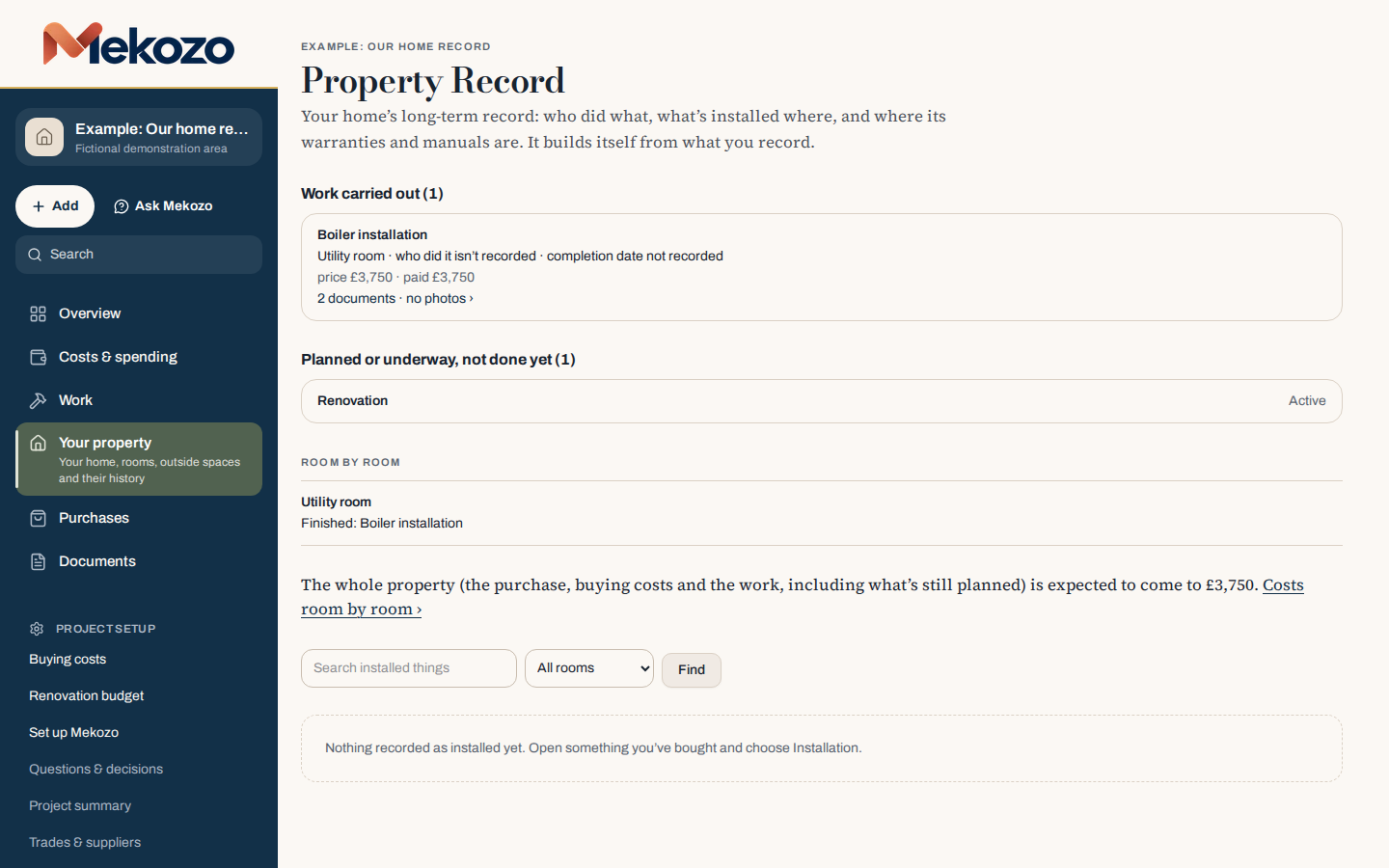
Home maintenance records
What was done, by whom, when and for how much.
Warranties and manuals
Warranties and manuals kept with the appliance or work they cover.
Property history
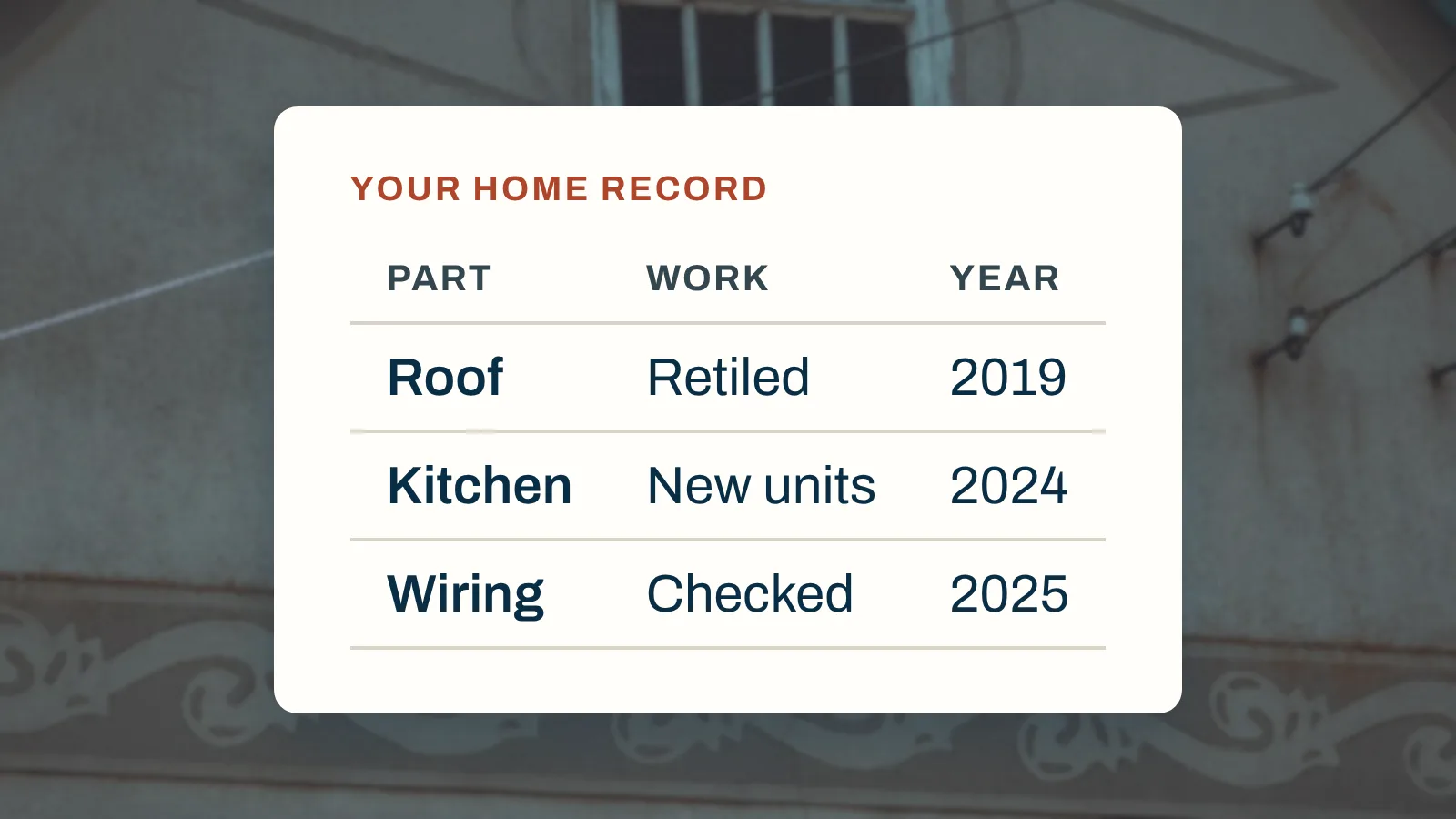
The story of the home, from purchase to every piece of work since.
Handover records
Everything a buyer or the next owner will ask for, ready to share.
Example Property Record in Mekozo
In the app

See it in Mekozo.

Questions it helps you answer

Clear answers, and clear limits.

“Is the builder’s quote fair?”

You cannot judge a quote by the total alone. Different materials, missing work and different payment stages can make two prices look comparable when they are not. Keep quotes with the same scope, their exclusions and the questions you need answered. Mekozo helps you compare the information; it does not certify a contractor, detect fraud or know the fair market price of every job.

“Will the renovation add value to my house?”

More spending does not automatically mean more resale value. Ask a qualified local valuer what the proposed work could mean in your market, and keep that assumption separate from the cost of doing it. Mekozo organises the project costs you need for that discussion. It does not produce an independent property valuation or guarantee a return.

“How can I control costs without sacrificing quality?”

Define the result you need and identify where the specification matters most. Then question optional work, design changes, expensive upgrades and the order of the jobs before cutting essential quality. Organise work by project and room, compare quotes against the scope and keep your current commitments visible. Ask qualified professionals about safety, durability and suitability before changing a specification.

“We have paid the deposit. What is still to come?”

Money paid is not the same as the total cost. Track estimates, agreed amounts, final bills and payments separately. Follow the records behind the totals so you can identify the next commitment and decide whether the plan still fits.

“Where did we put the information we need?”

A broken appliance should not mean searching old messages for the installer. Keep purchases, receipts, warranties, manuals and contacts in context, so the next question has a place to start.

Try it with the decision in front of you

Start with one property, one work project or one important home record. You do not need to organise everything before Mekozo can be useful.

Calculations you can trust, help you can question

Every total in Mekozo comes from the figures you record, worked out by ordinary, predictable software. AI help is included with fair usage:

  • Ask a question about your project and get an answer drawn from your own records, with each point linked to the record it came from.
  • Add a quote, invoice or receipt and Mekozo reads it for you. You check the details before anything is saved.
  • Get a plain-English explanation of where your money stands, using only the figures Mekozo has worked out.

AI can make mistakes, so check anything important before relying on it. The decisions stay yours.

What Mekozo will not pretend to do

It cannot guarantee a budget, a saving or a smooth project, and it is not legal, tax, survey or valuation advice. It gives you a clearer basis for your own decisions, and tells you when information is missing rather than guessing.

Blog

From the Blog

All Blog posts →

Bring the whole picture home.

Budgets, quotes, payments, documents and decisions in one place

30 days free. No card needed.

Monthly, with no annual plan. The Terms of membership set out the details.